
FiOS Router
Set Router to Bridge Mode
Login to router administration interface
Select "My Network" on the top bar
https://kb.its-et.me/uploads/images/gallery/2024-07/NjfmO28jwrLeg9rS-image.png
Select "Network Connections" > "Advanced"

Select edit icon for "Network (Home/Office)", then click "Settings" on the bottom right
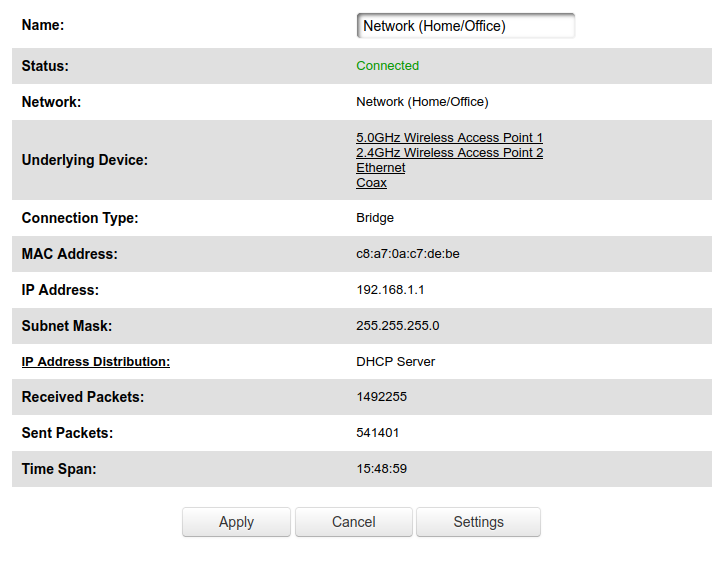
Check the box for bridge mode under the "Bridge" section

If you set up another router and it detects that the ISP modem/router is still active, it will use the 10.0.0.0/16 network rather than the 192.168.0.0/24 network
Configure IP Allocation
Login to router administration interface
Select "Advanced" on the top bar, then select "Yes"
https://kb.its-et.me/uploads/images/gallery/2024-07/eB1p4QLOZ73NhWAe-image.png
Under "Routing", select "IP Address Distribution"

Select "Connection List" on the bottom

Edit a specific host's IP allocation